Exploring AgentDef Visually: The Dashboard Tour
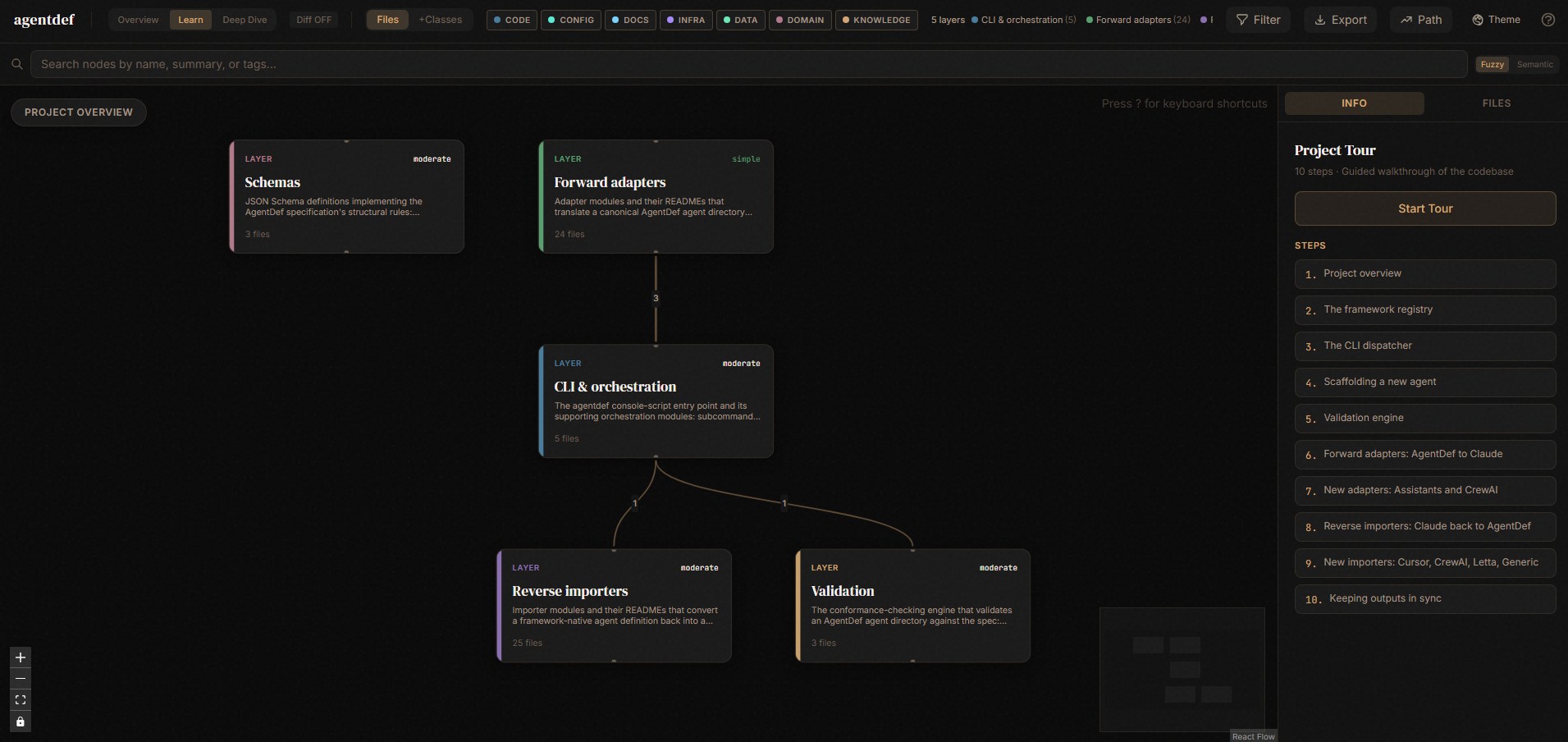
▶ Open the live dashboard — no install needed. What follows explains what you are looking at and how to run it locally.
Current (2026-07-04): the scan was regenerated against the post-refactor package (
pysrc/agentdef/— registry, cli, sync, init all present). The dashboard source ships in the repo; a static build is deployed to GitHub Pages at/dashboard/by.github/workflows/pages.yml. For local use:npm install && npm run dev(the dev server prints a one-time access token — put it in the URL).
This repo ships with understand-dashboard/, an interactive knowledge-graph
explorer generated from the codebase itself (via the understand-anything
tool). It's the fastest way to see how the pieces of AgentDef — the spec,
the adapters, the importers, the CLI — actually relate to each other,
without reading every file first.
Unlike a hand-drawn architecture diagram, this graph is derived directly from the code and its imports. It can't quietly drift out of date the way a diagram in a wiki does — if it goes stale, that just means it needs to be regenerated (see "Keeping it up to date" below), not redrawn by hand.
What you'll see
A force/layer-directed graph where:
- Nodes are files, classes, and functions in the repo.
- Edges are real relationships pulled from the code: imports, class usage, shared modules.
- Layers group related nodes (e.g. adapters vs. importers vs. shared utilities vs. the CLI) so the overall shape of the project is visible at a glance before you zoom into any one piece.
Running it locally
cd agentdef/understand-dashboard
npm install
npm run dev
The dev server prints a one-time access token to the terminal, e.g.:
Local: http://localhost:5173/?token=8f2a1c...
That token is required in the URL — the dashboard reads repo-local files
(.understand-anything/knowledge-graph.json) and the token gate keeps that
from being an open local endpoint. Use the exact URL printed in your
terminal, not just http://localhost:5173.
A two-minute guided path
Once it's open, this sequence shows the core design of AgentDef faster than reading the READMEs in order:
- Start at
AgentDef(adapters/_common.py) — the shared class that loads an agent directory (agent.md,manifest.yaml, instructions, skills, workflows) into memory. Every adapter depends on it. - Follow its outgoing edges to the five
adapters/*/generate.pyfiles (claude, openai, cursor, copilot, langgraph). Notice they're siblings, not a hierarchy — each one independently turns a loadedAgentDefinto one framework's native format. - Jump to
AgentDefWriter(importers/_common.py) — the mirror image. This is what the fourimporters/*/import.pyscripts (claude, copilot, m365copilot, copilotstudio) write into, going the opposite direction: framework file → AgentDef directory. - Look at where
generate.pyandimport.pymeet:claude's pair is the only one with true round-trip detection (the<!-- Generated from AgentDef. Do not edit manually. -->marker) — the graph makes this asymmetry with the other three frameworks visible instead of leaving it buried in a code comment.
That's the whole shape of the project: one shared loader, one shared
writer, and a symmetric set of adapters/importers around them, plus a CLI
(agentdef_cli.py) that dynamically loads whichever of those scripts a
given subcommand needs.
Keeping it up to date
The graph is a snapshot of the repo at scan time. After adding a new
adapter, importer, or any structural change worth reflecting, re-run the
understand-anything scan against the repo root to regenerate
.understand-anything/knowledge-graph.json, then reload the dashboard —
there's no manual diagram to maintain.
Publishing a static build (optional, not yet done)
This is already done: .github/workflows/pages.yml builds the dashboard
with VITE_DEMO_MODE=true — the app's static demo mode, which skips the
local dev-server token gate entirely and reads the graph baked into the
build (public/knowledge-graph.json) — and deploys it to GitHub Pages at
/dashboard/ alongside
this docs site. The token gate you see with npm run dev only exists for
the local live-reading server.